





























































 Home
Home

SAgro200
Auto-Steering System
Auto-Steering System
learn more







 2026-01-19
 Kyrie
Kyrie


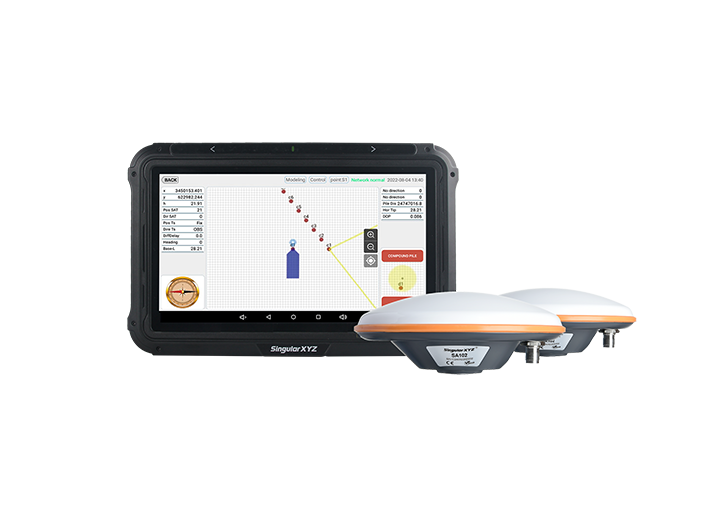
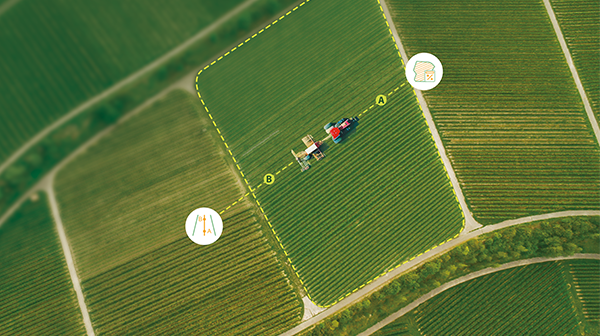
When using precision agriculture auto-steering systems, AB guidance lines are typically created for individual fields and reused over long periods of operation. During this workflow, scenarios such as equipment upgrades, multi-tractor collaboration on the same field, or routine data backup often require AB line data to be exported and imported. In these cases, the Export and Import functions provide a practical way to transfer, preserve, and reuse AB guidance lines and field data across devices.
This guide explains how to export and import AB lines and farm data using a USB drive.
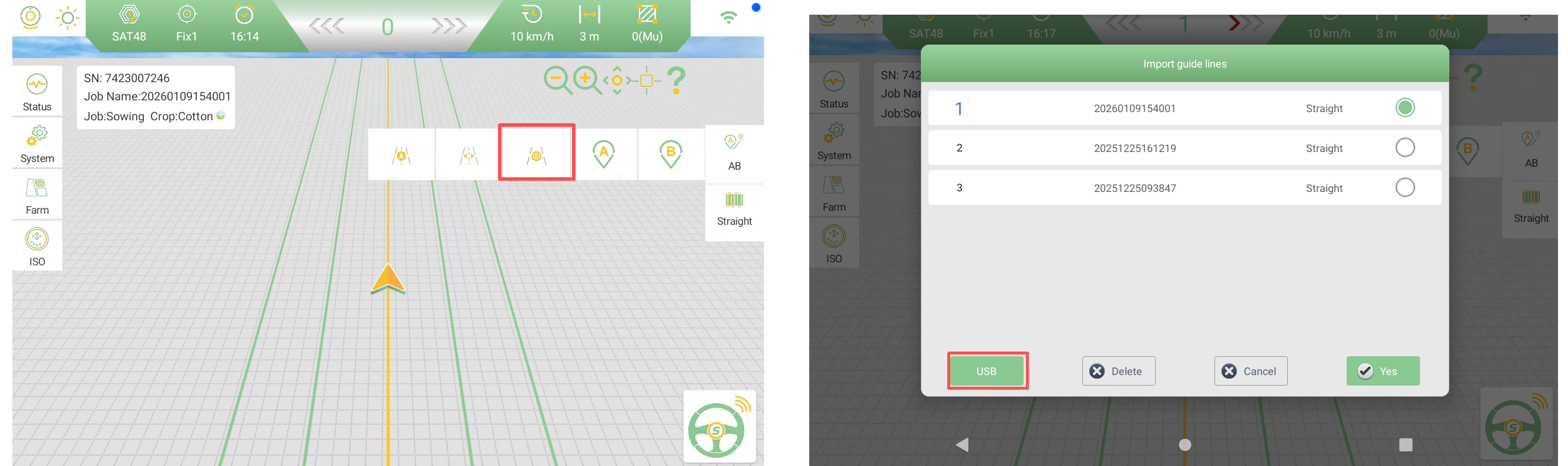
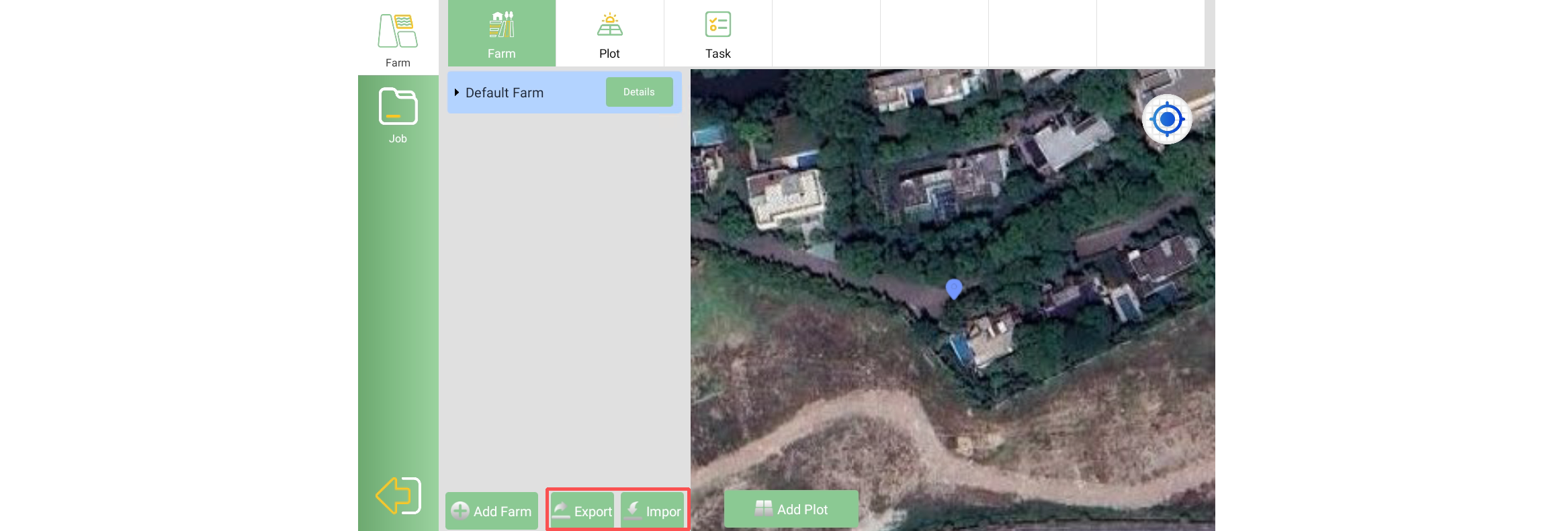
Tap the location shown in the interface (as illustrated in the image) to access the Export / Import menu.
Select USB to export or import AB line data.
Before exporting, make sure a USB flash drive is inserted into the tablet.
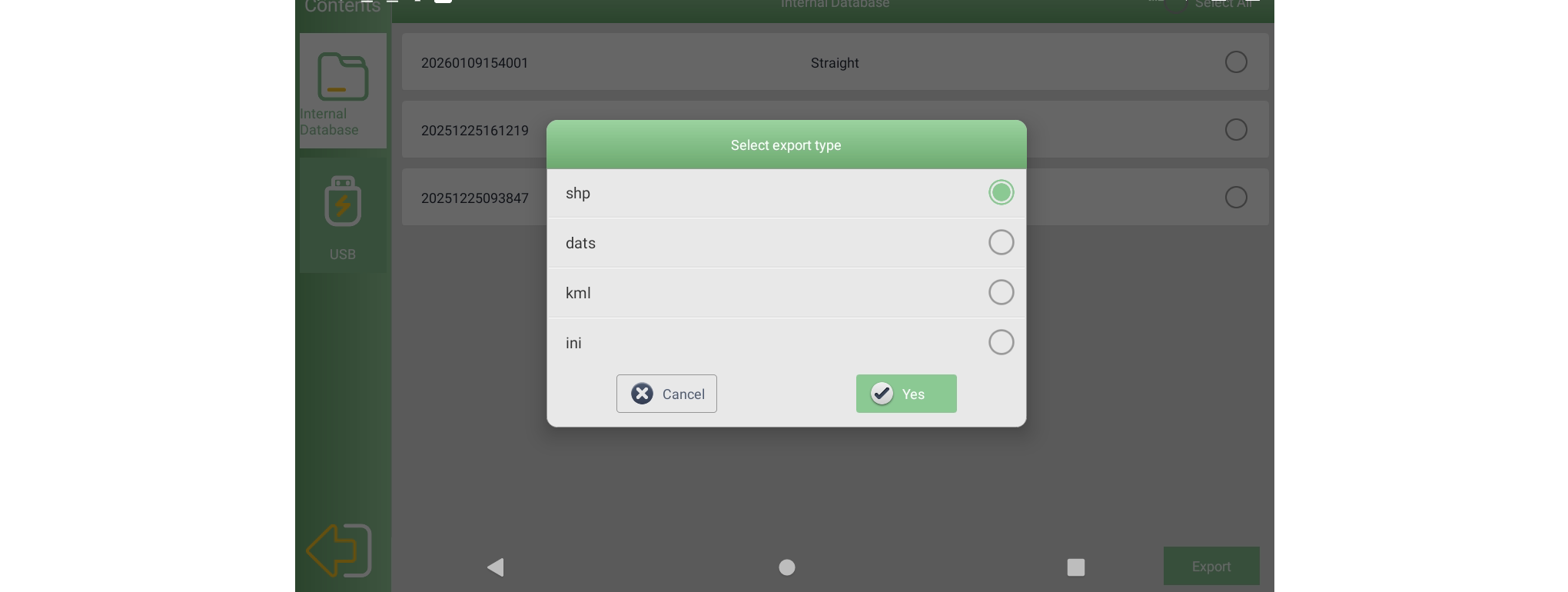
After selecting USB, both Internal Database and USB will be displayed.
Select the AB line stored in the internal database.
Tap Export.
The selected AB line will be exported to the USB flash drive.
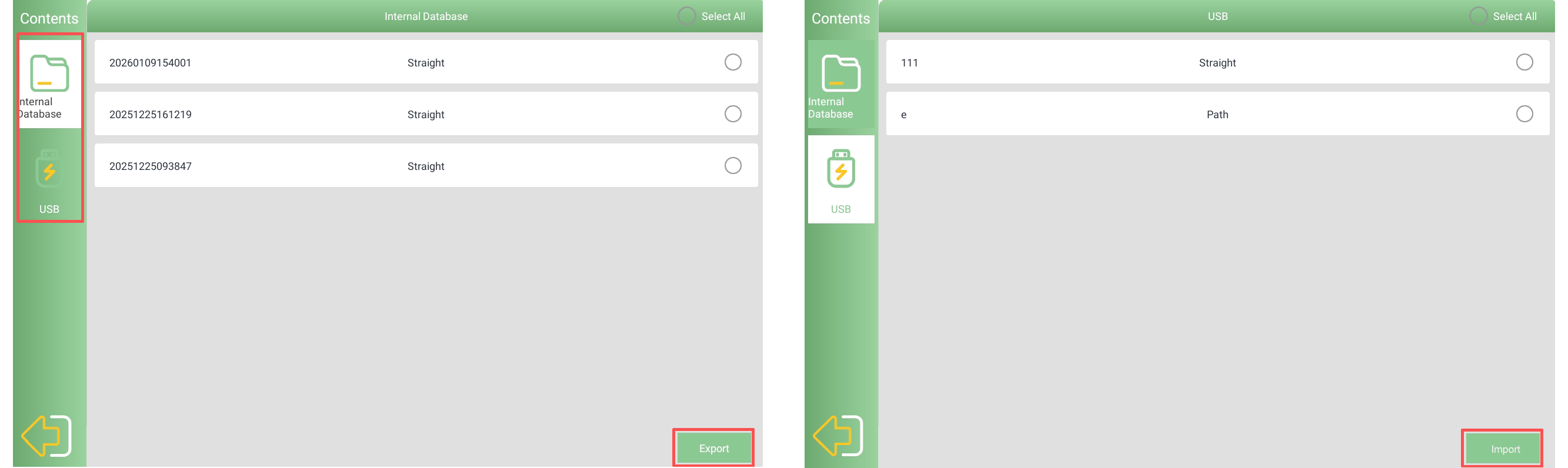
To import AB lines from a USB drive:
Select USB.
Choose the AB line file stored on the USB drive.
Tap Import.
Once the import is successful, tap Return to view the imported guidance lines in the software.
The SAgro200 supports exporting AB line data in four formats:
SHP
DAT
KML
INI
Note: If the AB line mode is set to Path, the export format must be DAT.
In addition to AB lines, farm (field) data can also be exported and imported using the same method. Before exporting or importing farm data, ensure that a USB flash drive is inserted into the tablet.
Important Note: The file imported as farm data must be a polygon SHP file.
Line files consisting of only two points will not be recognized or imported as valid farm data.
By using the export and import functions, you can easily back up, transfer, and restore AB lines and farm data when changing devices or managing multiple projects. This ensures continuity of operations and helps maintain consistent guidance accuracy across different working environments.