


























 Home
Home
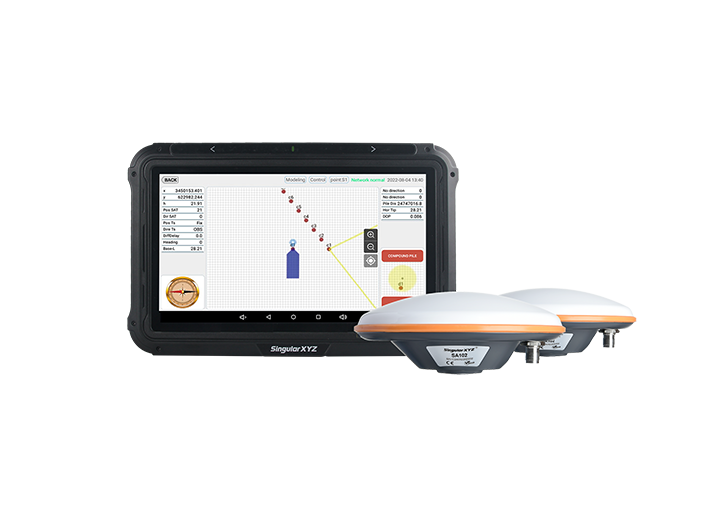
SingularPad Field Surveying Software
learn more







 2026-09-28
 Satoshi


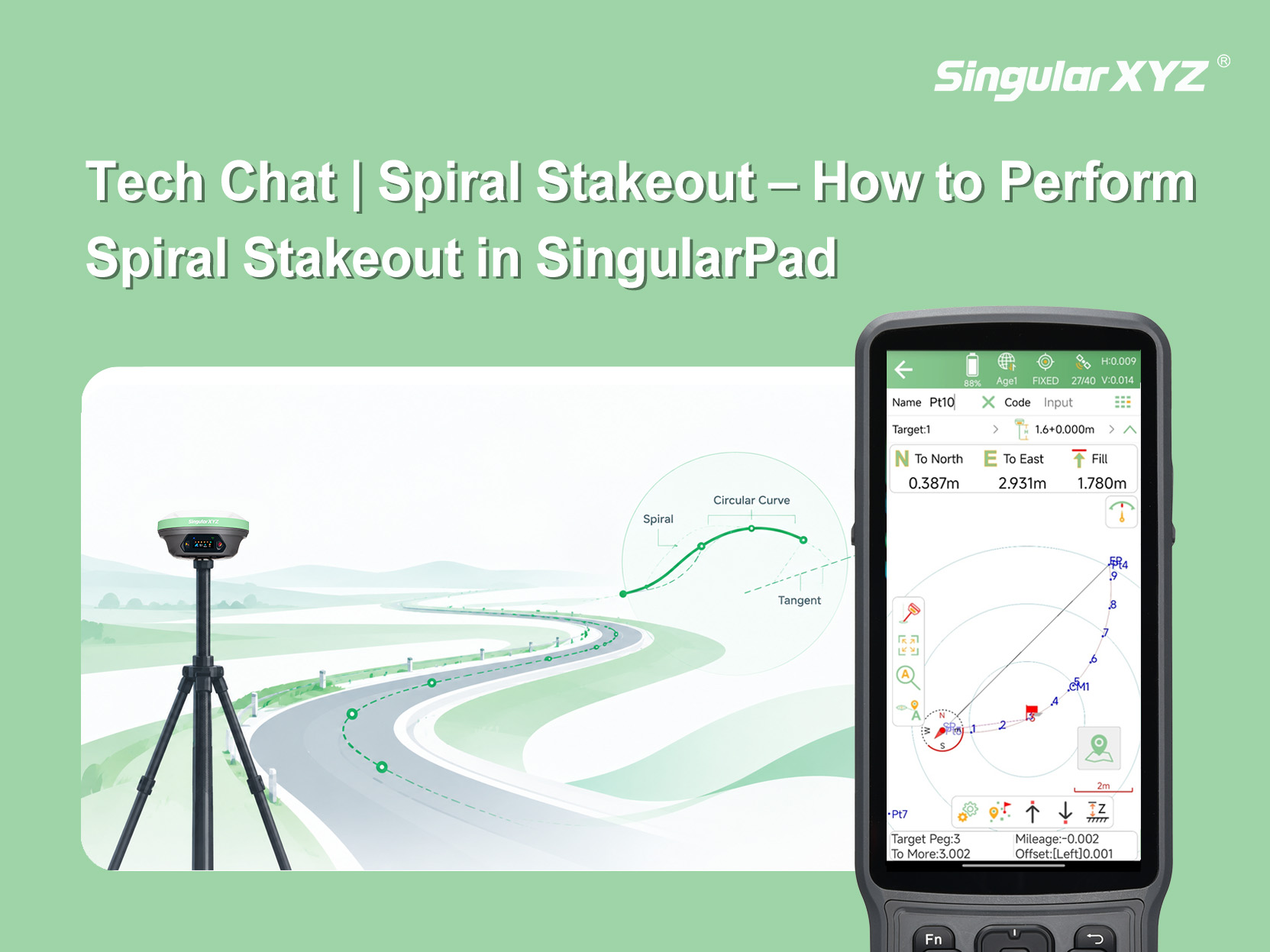
Spiral curves are commonly used in road and railway alignment to provide a smooth transition between straight sections and circular curves. In field surveying, surveyors need to stake out these curves accurately based on the design parameters.
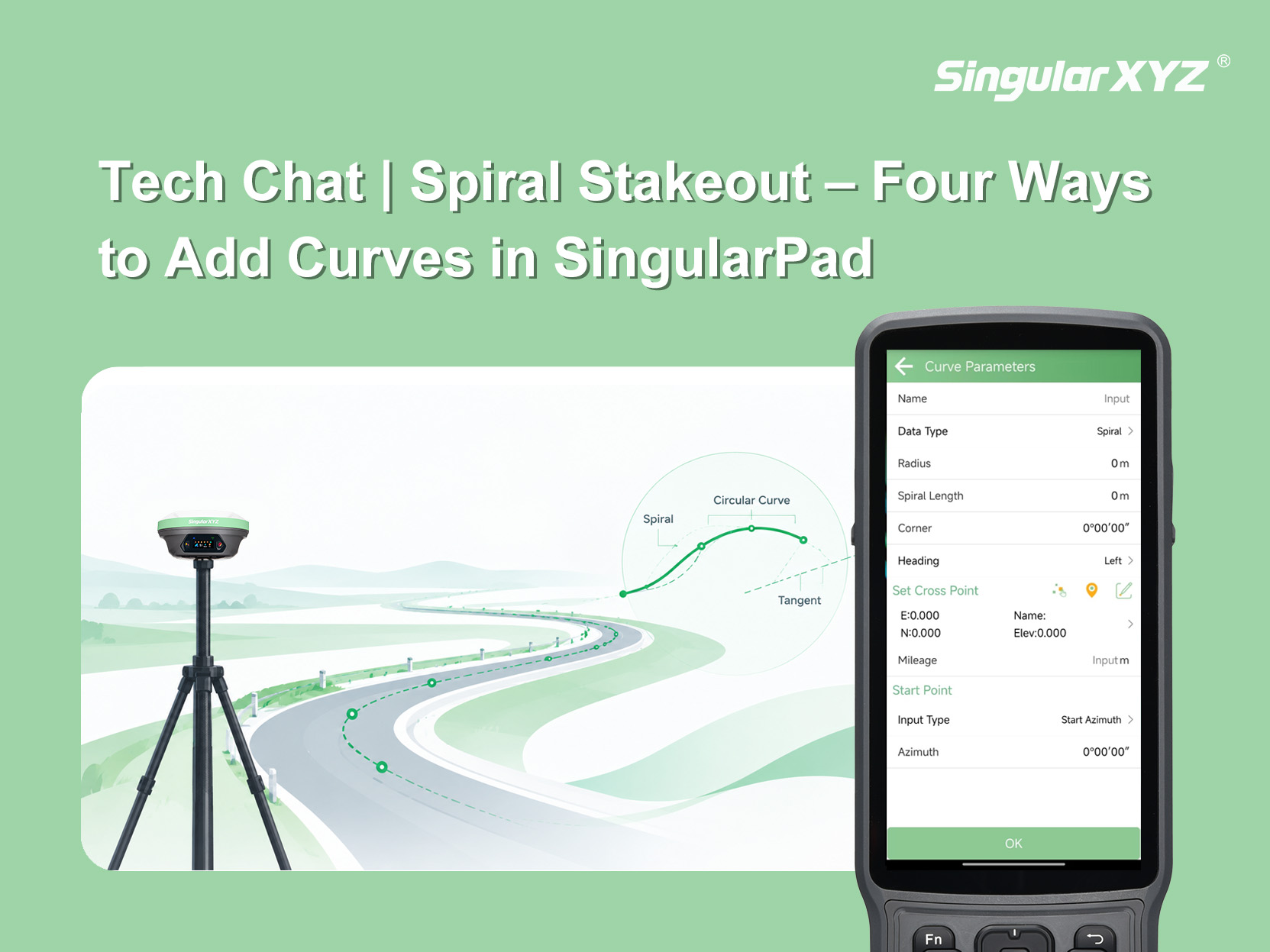
Before performing spiral stakeout in SingularPad, a curve must first be added. SingularPad provides four methods for adding curves, allowing you to choose the appropriate method based on the design information available.
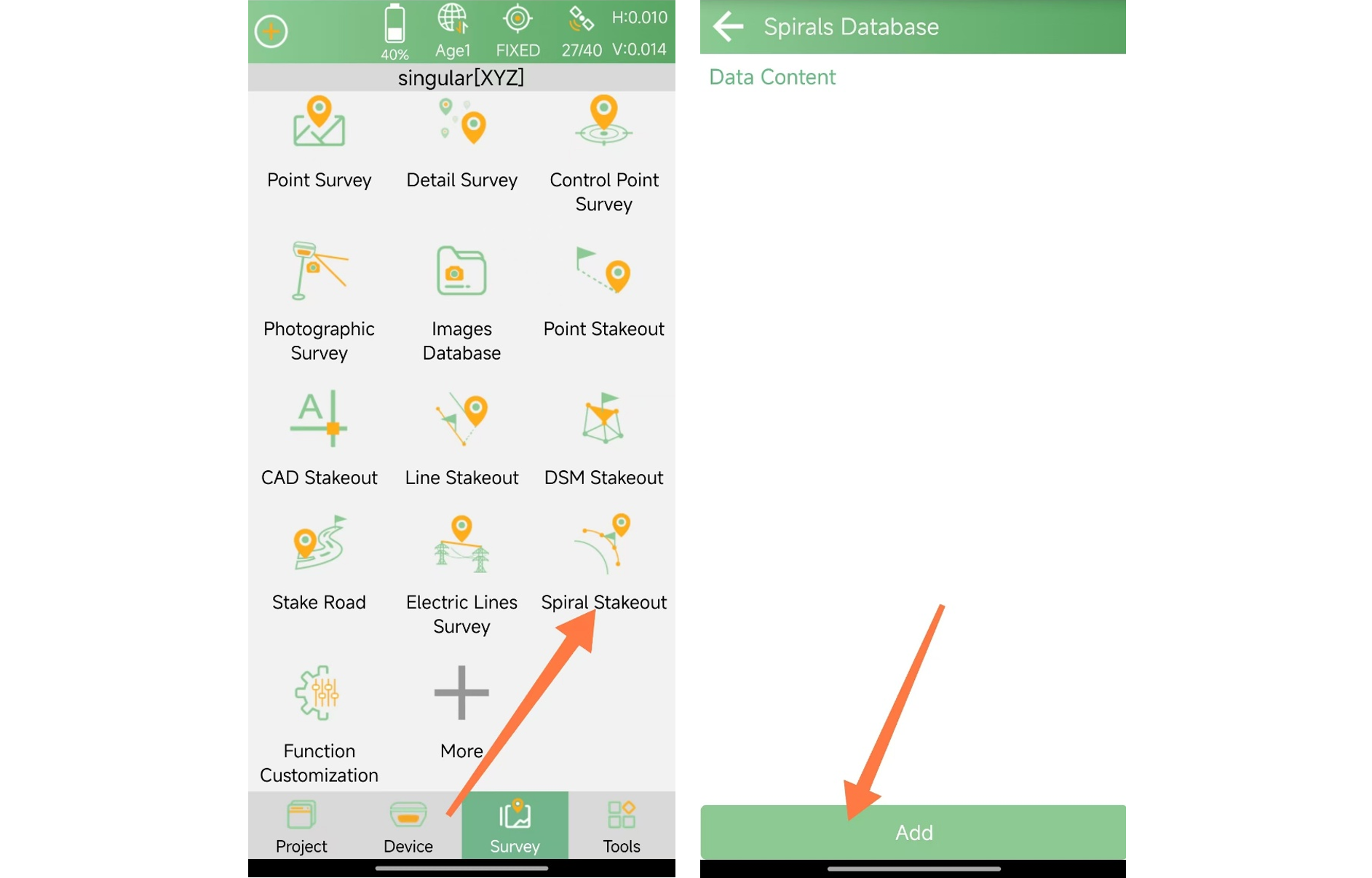
First, open Spiral Stakeout from the Survey interface and tap Add to create a new curve.
Use this method when the coordinates of the intersection point (JD), curve radius (R), and deflection angle are known.

Radius: The radius of the curve.
Corner: The deflection angle of the curve relative to the route's initial tangent line (the straight section before the curve).
Heading: The direction of the curve relative to the route's initial tangent line.
Set Cross Point: Enter the coordinates of the intersection point (JD) manually or obtain them by measurement.

Mileage: The station number of the intersection point (JD). For example, if the JD station is K1+123, enter 1123.
The starting point can be defined using either Azimuth or Coordinates. Here, we explain the Azimuth option in more detail.

Azimuth: The coordinate azimuth of the route's first tangent line, or the straight section before entering the curve.
For example, if the straight section runs from west to east, the starting azimuth should be 90°, with true north defined as 0°.
Use this method when the coordinates of the curve's starting point and ending point, as well as the curve radius, are known.

Mileage: The station number of the curve's starting point. For example, if the starting point is K3+120, enter 3120.
Radius: The radius of the curve.
Direction: The direction of the curve relative to the route's initial tangent line.
Then, enter the coordinates of the curve's starting and ending points.

Use this method when the coordinates of the curve's starting point, ending point, and any other point on the curve are known.
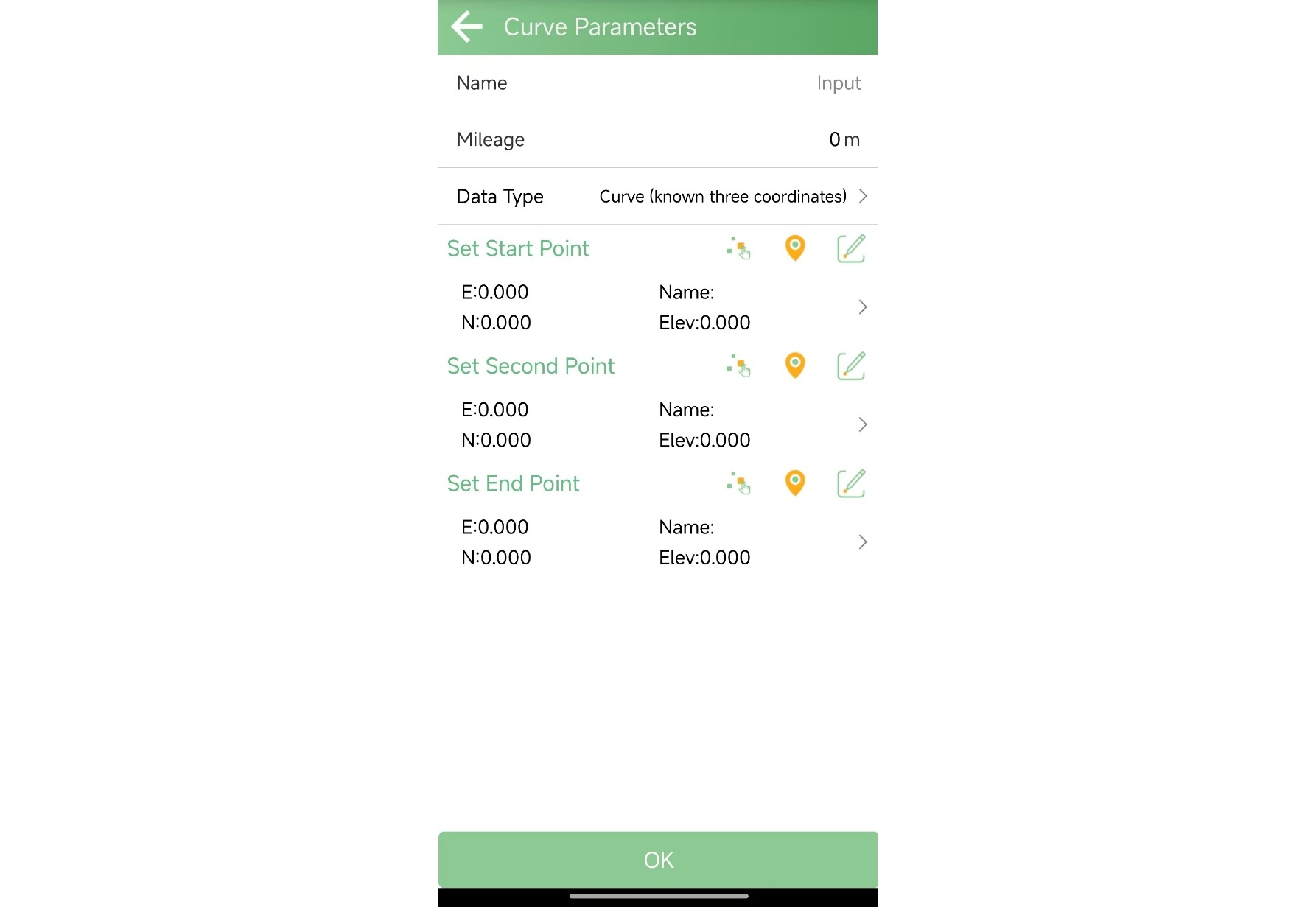
Mileage: The station number of the curve's starting point. For example, if the starting point is K3+120, enter 3120.
Select the starting point and ending point of the curve, then select a third point on the curve. SingularPad will calculate the curve based on the three selected points.
Use this method when the alignment includes a transition curve between a straight section and a circular curve.
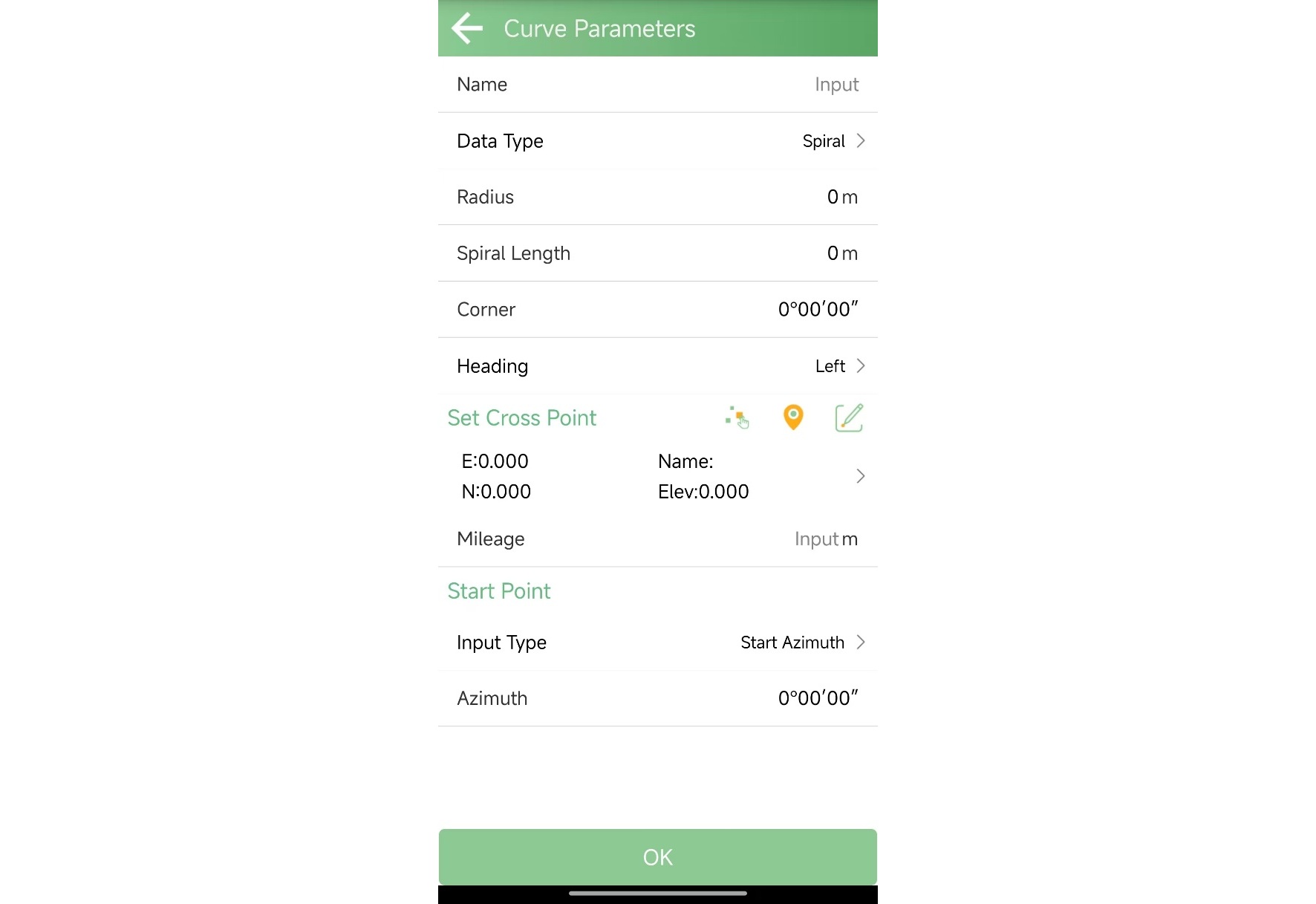
Radius: The radius of the circular curve.
Spiral Length: The length of the transition curve (Ls1 or Ls2).
Corner: The deflection angle of the curve relative to the route's initial tangent line.
Heading: The direction of the curve relative to the route's initial tangent line.
Set Cross Point: Enter the coordinates of the intersection point (JD) manually or obtain them by measurement.
Mileage: The station number of the intersection point (JD). For example, if the JD station is K1+123, enter 1123.
Azimuth: The coordinate azimuth of the route's first tangent line.
For example, if the straight section runs from west to east, the starting azimuth should be 90°, with true north defined as 0°.
These are the four methods available for adding curves before performing spiral stakeout in SingularPad. Depending on the design information available, you can select the corresponding method to define the curve.
In the next blog post, we will walk through the specific steps for performing spiral stakeout in the field.