In surveying and RTK operations, keeping a detailed record of field measurements is essential for project review, troubleshooting, and post-processing. SingularPad automatically generates two types of project-specific files—RAW and RW5—that capture different levels of measurement and operational information. Understanding the content and purpose of these files, and knowing how to export them, can help you verify fieldwork, ensure data integrity, and support troubleshooting when needed.
RAW Files
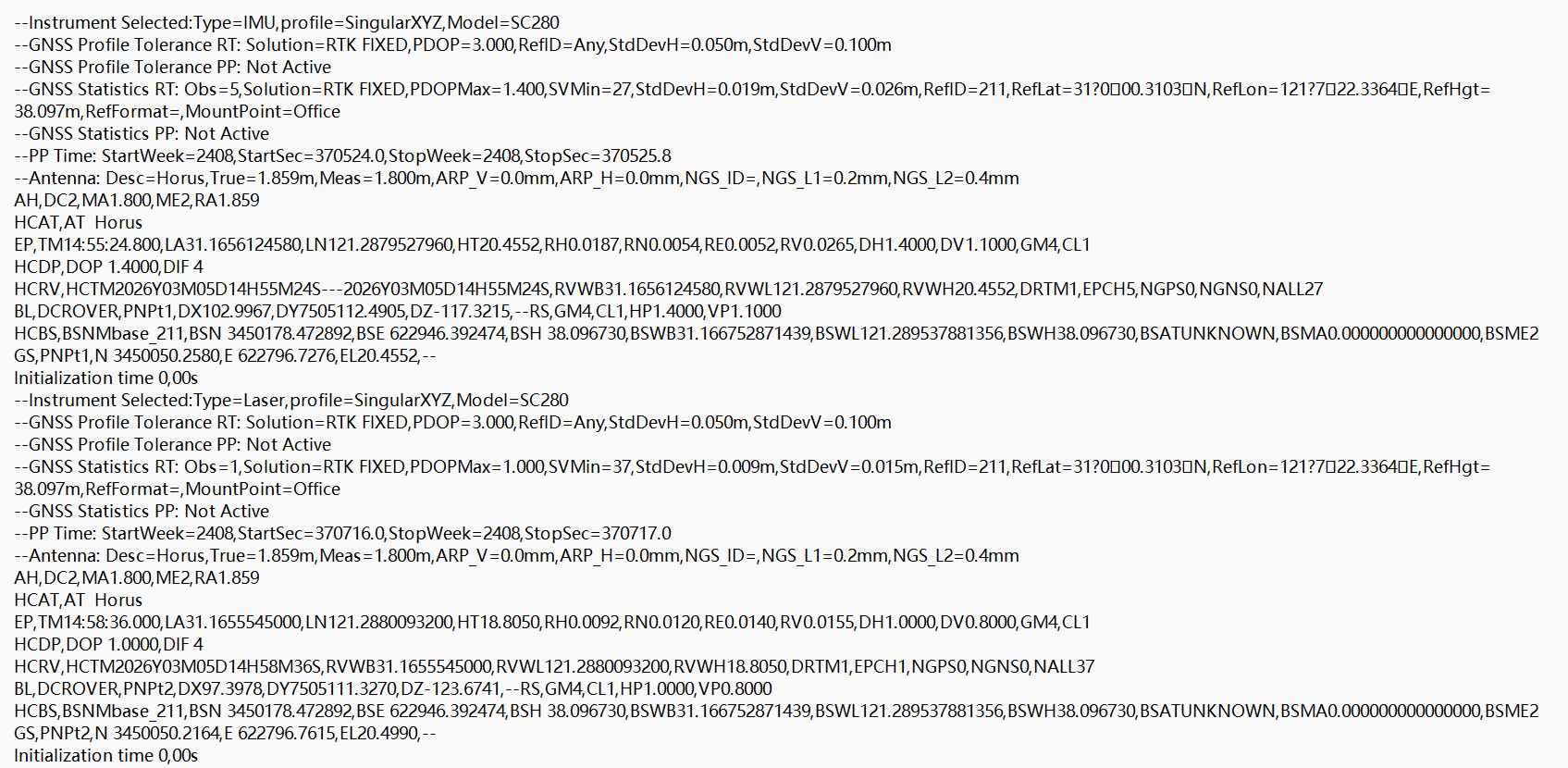
The RAW file is a highly integrated log format that combines raw GNSS measurements with final results, creating a comprehensive record of the survey. Unlike traditional single-table result formats, RAW files store information across multiple dimensions:
Configuration settings and epoch data – details of the project setup and measurement epochs.
Physical correction data.
Spatial geometry and satellite quality metrics – satellite status, PDOP, and other key indicators.
Physical relative relationships – baseline vectors and relative positions between receivers.
Final measurement results – processed coordinates and derived point data.
Because of this rich dataset, RAW files are ideal for high-precision review, troubleshooting, and project verification, allowing surveyors to check operational procedures, evaluate measurement quality, and ensure project acceptance.
RW5 Files
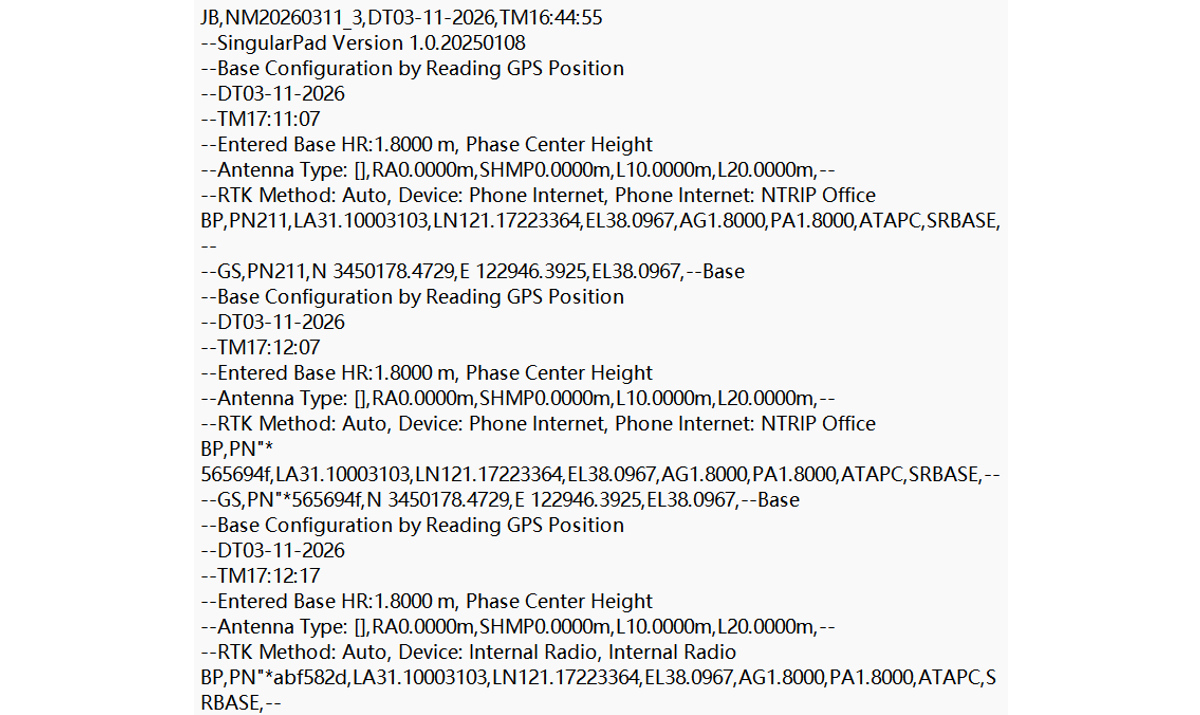
RW5 is an industry-standard file format, originally defined by Trimble, commonly used for RTK and GNSS field measurements. Unlike RAW files, which focus on detailed satellite data and observation metrics, RW5 files capture essential operational information:
Measurement timestamps
Base station details
Initialization modes
Collected point results
Stored in a readable ASCII text format, RW5 files allow office staff or project managers to quickly verify fieldwork quality and project consistency. The standardized structure also ensures compatibility with many third-party GNSS and surveying software platforms, making RW5 ideal for cross-platform review and project auditing.
Exporting RAW and RW5 Files from SingularPad
Follow these steps to locate and export the files from your project:
Open File Manager on your data collector or mobile device and navigate to the SingularPad software folder.
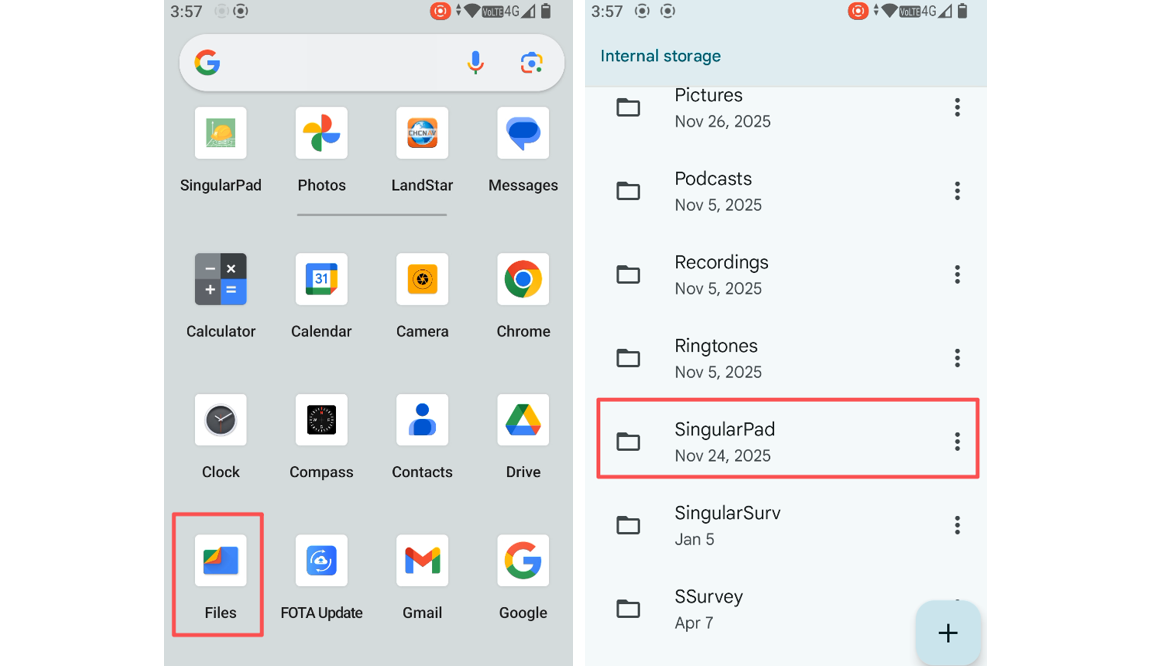
Access the Project folder and select the project containing the data you wish to export.
Enter the Data folder, where you will find both the RAW and RW5 files associated with your project. These files can now be copied to external storage or transferred for office processing.
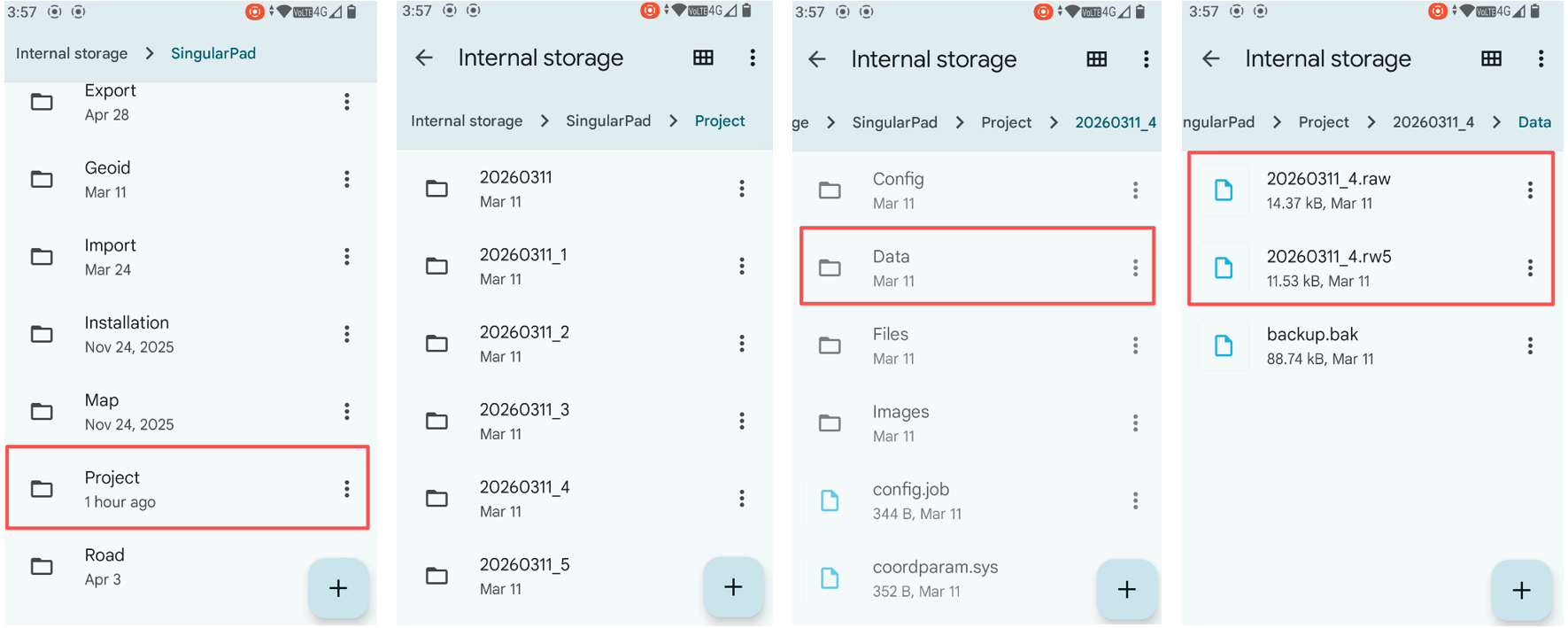
Understanding the distinction between RAW and RW5 files, and knowing how to access them, is a fundamental skill for efficient GNSS surveying. RAW files provide a comprehensive, high-detail record of the measurement process, while RW5 files offer a concise, standardized overview suitable for quality checks and data verification. Exporting these files ensures your fieldwork is fully documented and ready for review, post-processing, or troubleshooting.













































































 Home
Home